

You've published your book. Now your readers need to find it.
Every book on AfricaRead comes with a ready-made flyer that shows your cover, title, price and links to the AfricaRead app. To share your book, find it in the AfricaRead bookstore, open its details page, select the share icon beside the title, then Save the flyer or Share it straight from your device.
It takes less than a minute. Watch the short video, or follow the steps below.
Step 1: Find your book in the AfricaRead bookstore
Go to africaread.org and open the Bookstore.
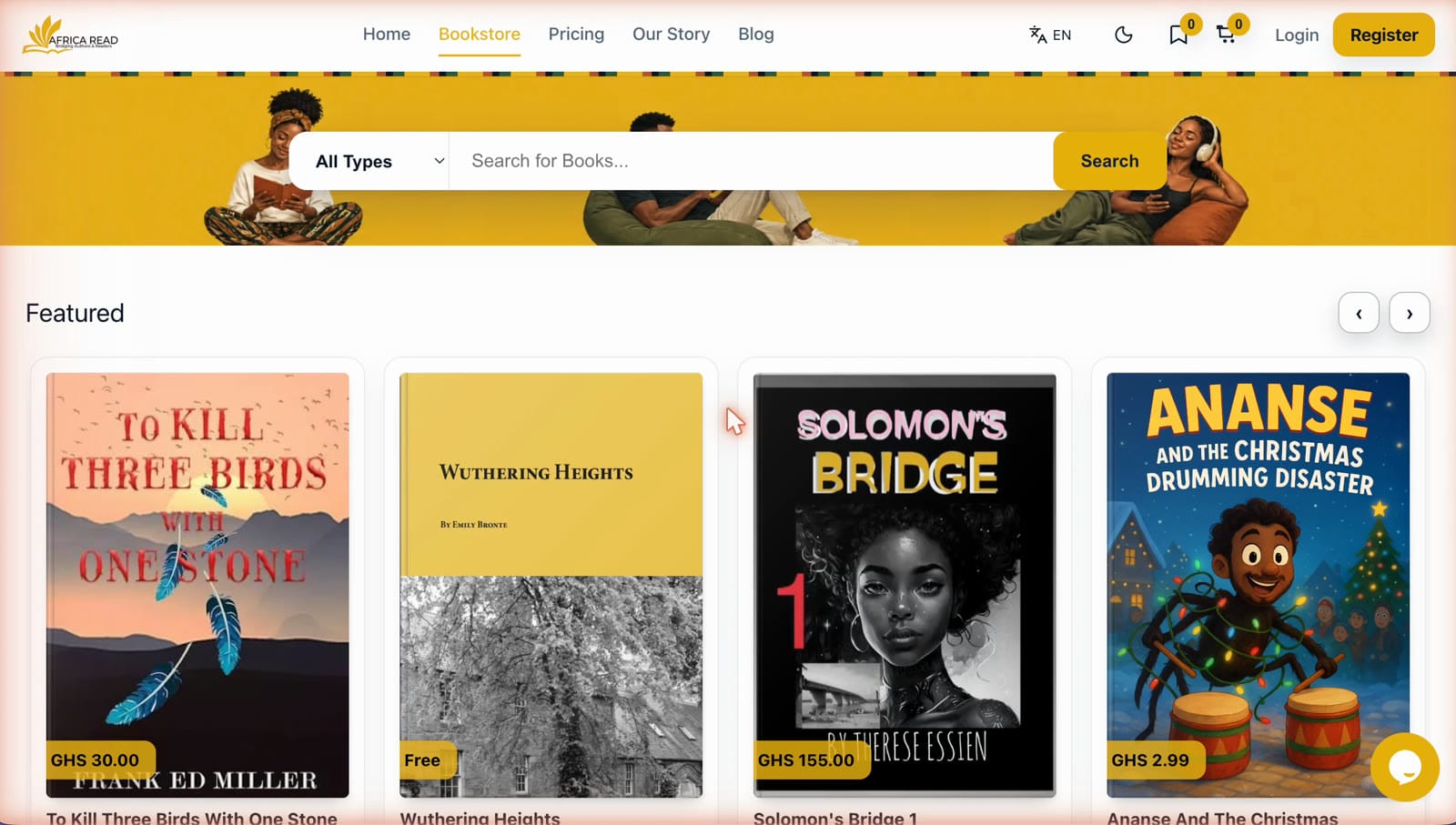
Type your book's title into the search bar. Your book appears in the dropdown and in the search results below it.
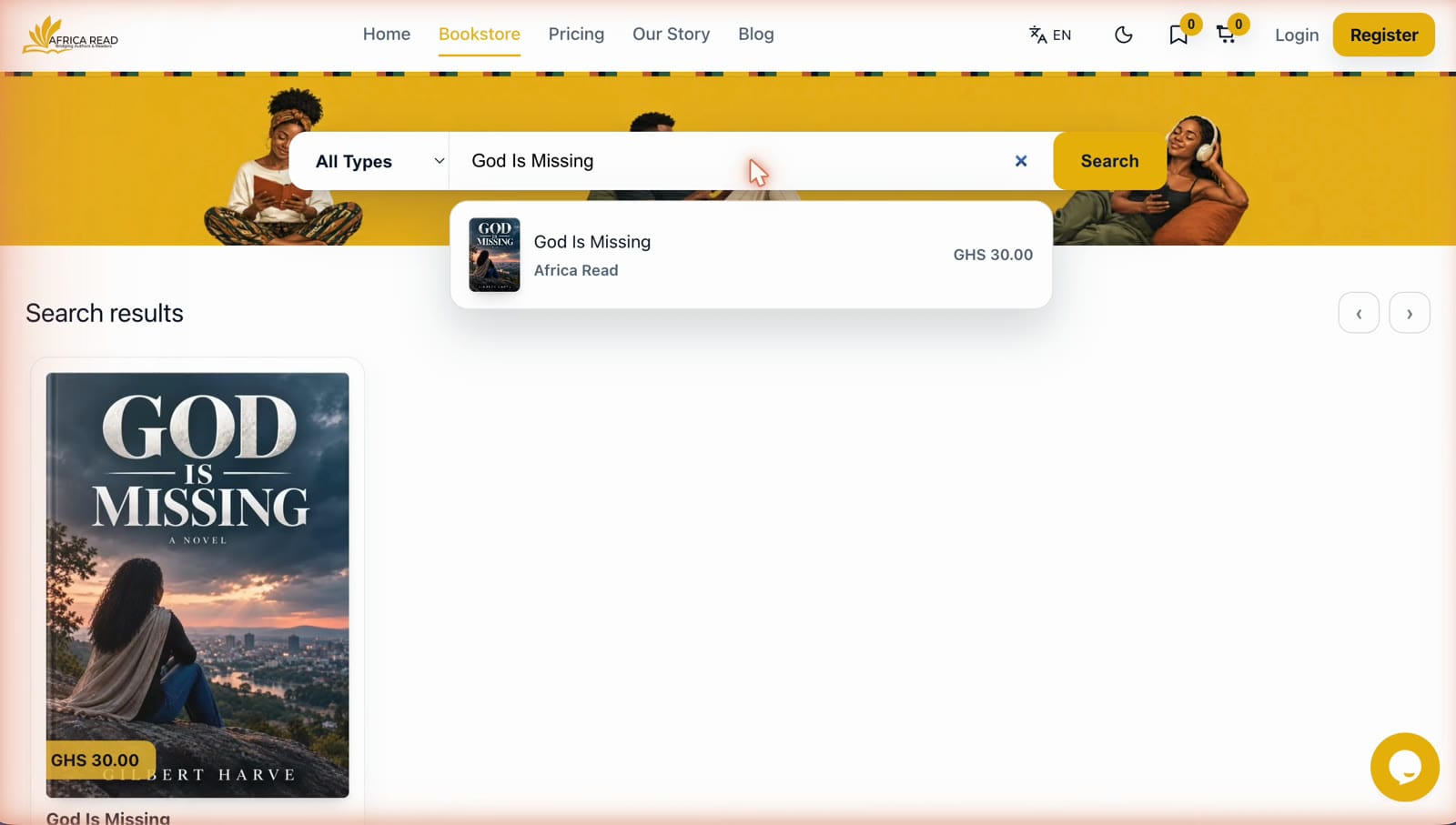
Step 2: Open your book's details page
Select your book to open its details page. This is the page readers see when they discover your book: the cover, description, formats and price.
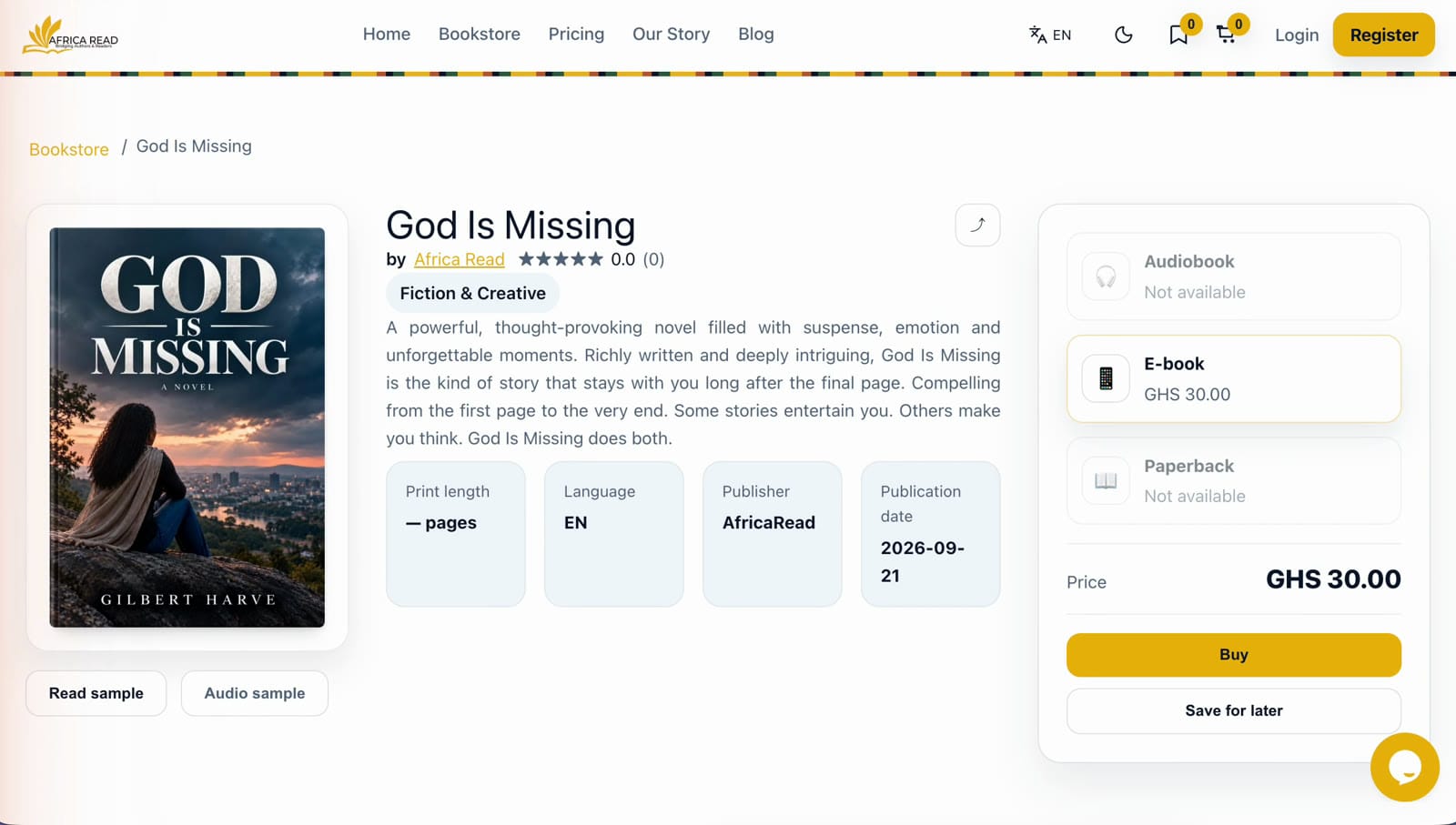
Step 3: Select the share icon beside your book's title
Look for the small share icon to the right of your book's title, and select it.
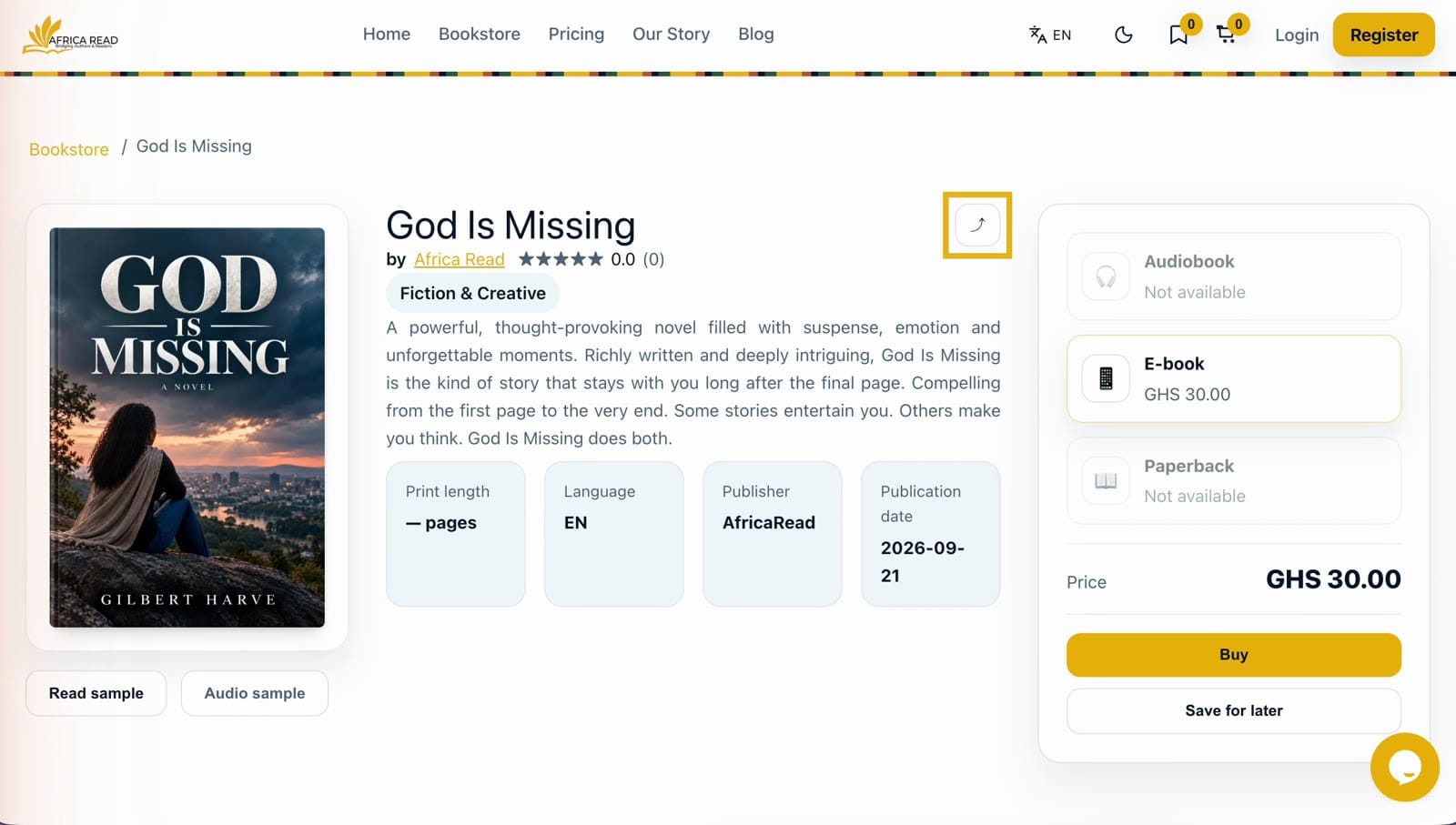
Step 4: Save your ready-made flyer
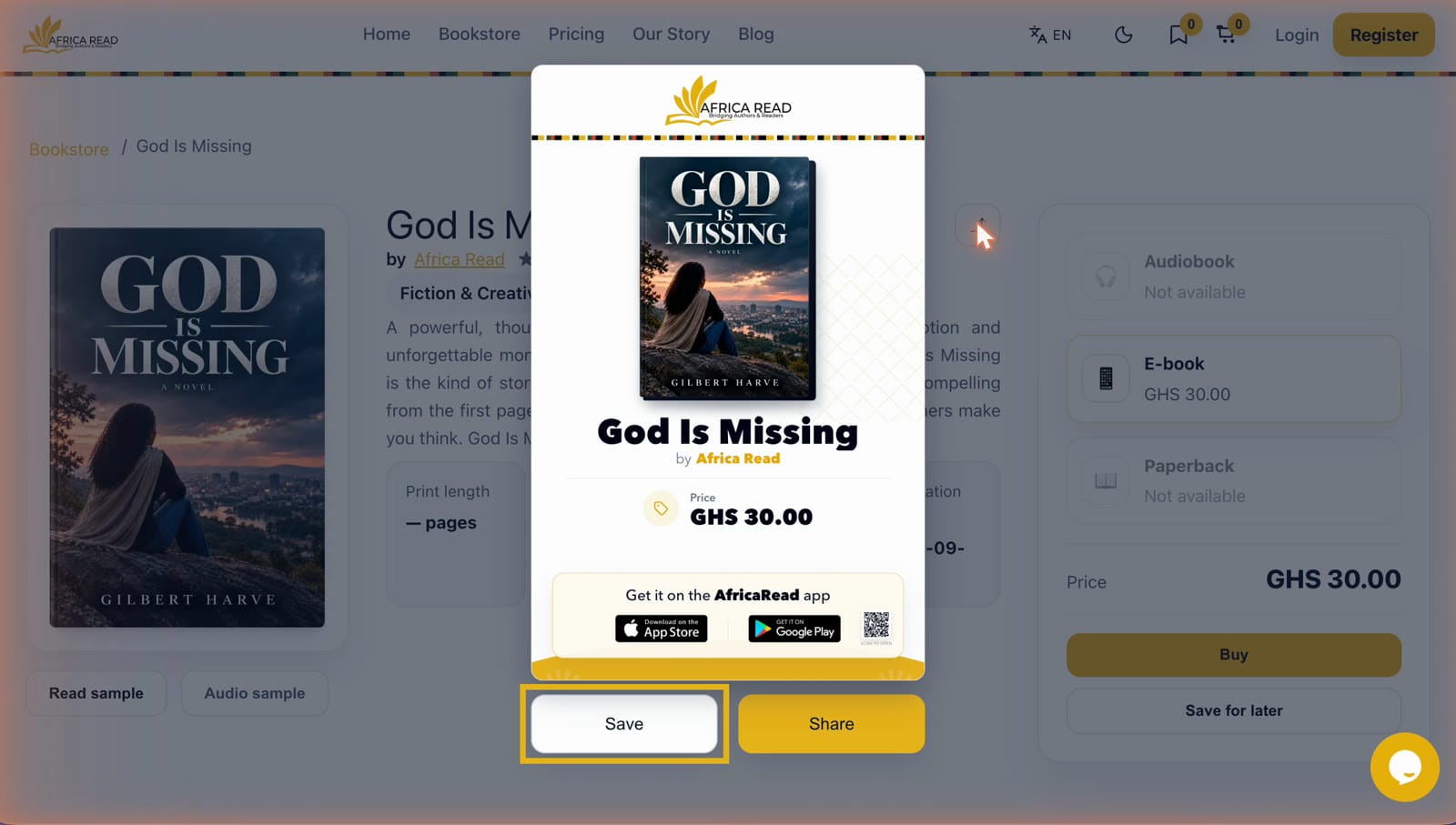
Your flyer appears straight away. It includes:
- your book cover and title
- your name as the author
- the price
- App Store and Google Play badges, plus a QR code readers can scan
Select Save to download the flyer as an image.
Step 5: Share it from your device
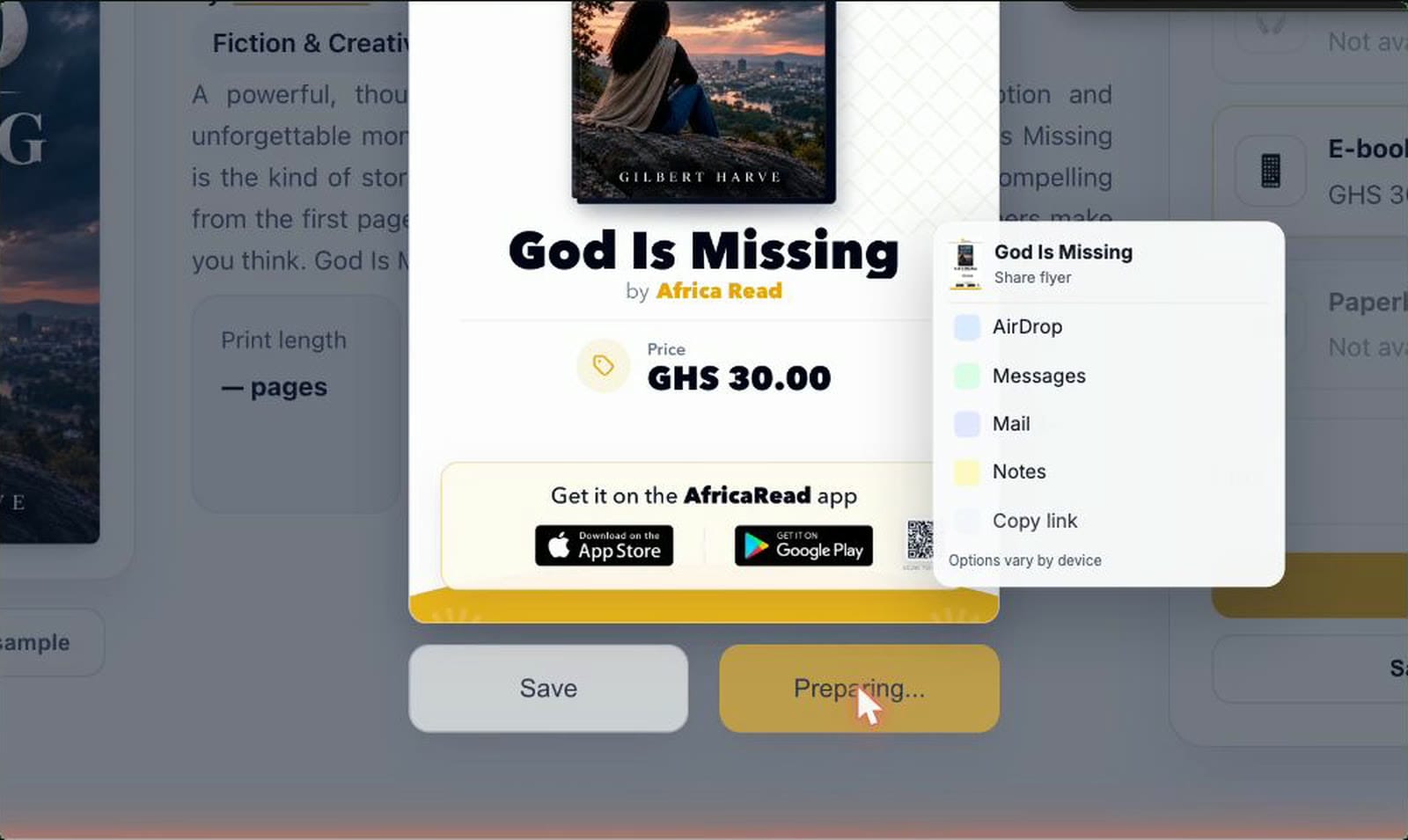
Prefer to send it straight away? Select Share instead. This opens the sharing options on your device, such as messaging apps, email or copying a link. The options you see depend on your phone or computer.
That's it. Your book is ready to travel.
Where to post your book flyer
Post your flyer wherever you already connect with readers:

- Status updates. A flyer on your status reaches the people who know you best, and they're often your first buyers.
- Group chats. Book clubs, alumni groups, church and community groups, writing circles.
- Social media posts. Facebook, Instagram, X, LinkedIn and anywhere else you have followers.
- Email. Add the flyer to your newsletter or send it to your personal contacts.
Tips for getting more readers
- Add a line of your own. One or two sentences about who the book is for, or why you wrote it, help the flyer get noticed.
- Share more than once. Post at launch, again a week later, and again whenever you have news, such as a review, an event or a milestone.
- Ask readers to pass it on. Anyone can share your book from its details page, so encourage happy readers to send the flyer to a friend.
- Pin it. Pin the flyer to the top of your social profiles so new visitors see it first.
- Bring it offline. Print the flyer for book signings, readings and events, where readers can scan its QR code.
Frequently asked questions
How do I share my book on AfricaRead?
Find your book in the AfricaRead bookstore, open its details page and select the share icon beside the title. A ready-made flyer appears. Select Save to download it, or Share to send it using your device's sharing options.
What does the AfricaRead share flyer include?
The flyer shows your book cover, title, author name and price. It also includes App Store and Google Play badges and a QR code readers can scan.
What format is the flyer saved in?
The flyer downloads as an image file, so you can post it anywhere that accepts pictures: status updates, chats, social media and email.
Can readers share my book too?
Yes. The share icon is on every book's details page, so any reader can create the same flyer and share your book with their friends.
Does it cost anything to publish my book on AfricaRead?
No. Publishing on AfricaRead is free. You choose the plan that suits you: Launch is free with a 75% royalty, Grow lets you pay only for the services you need and keeps your 75% royalty, and Thrive is a bundle that earns you up to 90%.
Haven't published your book yet?
Publishing on AfricaRead is free. Read our guide on how to self-publish your book on AfricaRead, then come back here to share it.
Start sharing your book today
AfricaRead: Bridging authors and readers.
- Website: africaread.org
- iPhone and iPad: Download AfricaRead on the App Store
- Android: Get AfricaRead on Google Play
Follow us for more author tips and tutorials: