

Want to give readers a reason to buy your book today?
Coupons let you offer readers a discount on your books, whenever you choose. To create one, open your AfricaRead author dashboard, select Coupons, then New coupon. Choose a book, set the discount, and select Create coupon. Your code is ready straight away, with a coupon card you can share.
Watch the short video, or follow the steps below.
Why use a coupon?
A coupon is a simple way to give your book a push. Use one to:
- Celebrate a launch. Give early readers a launch-week price.
- Reward loyal readers. Thank the people who have bought your earlier books.
- Give a book club a special price. Make it easy for a whole group to read together.
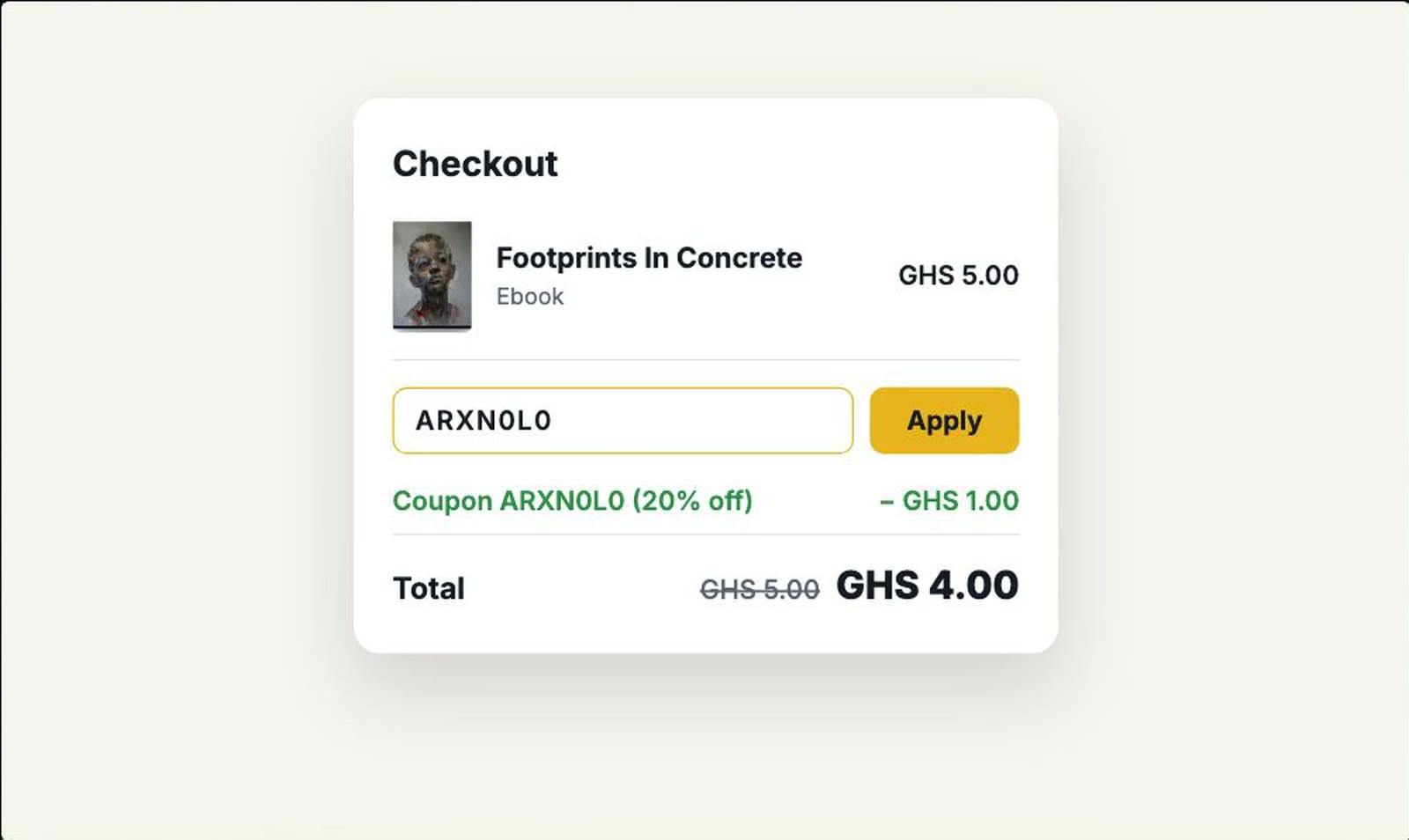
Readers enter your code at checkout, and the discount is applied straight away.
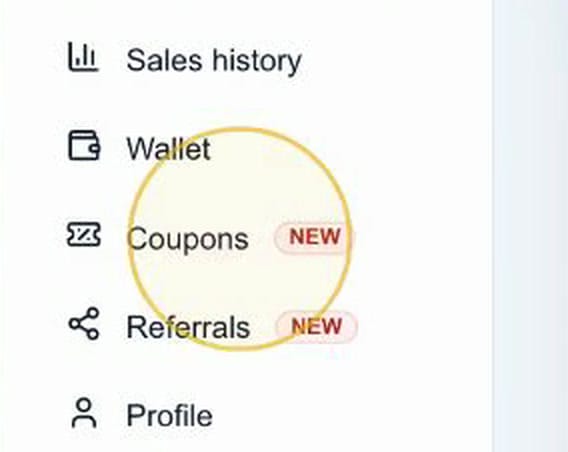
Step 1: Open Coupons in your author dashboard
Sign in at africaread.org, open your author dashboard, and select Coupons in the menu.
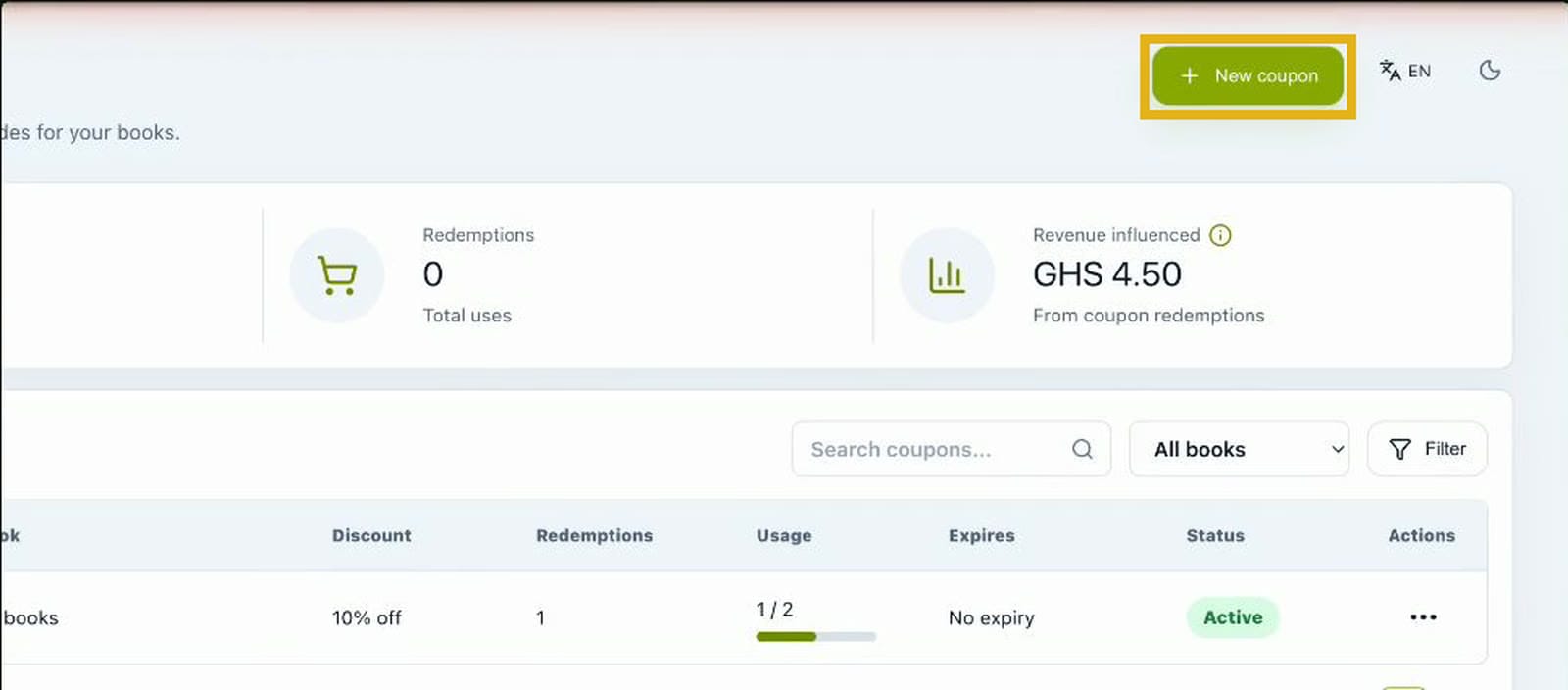
Step 2: Select New coupon
On the Coupons page, select New coupon at the top right.
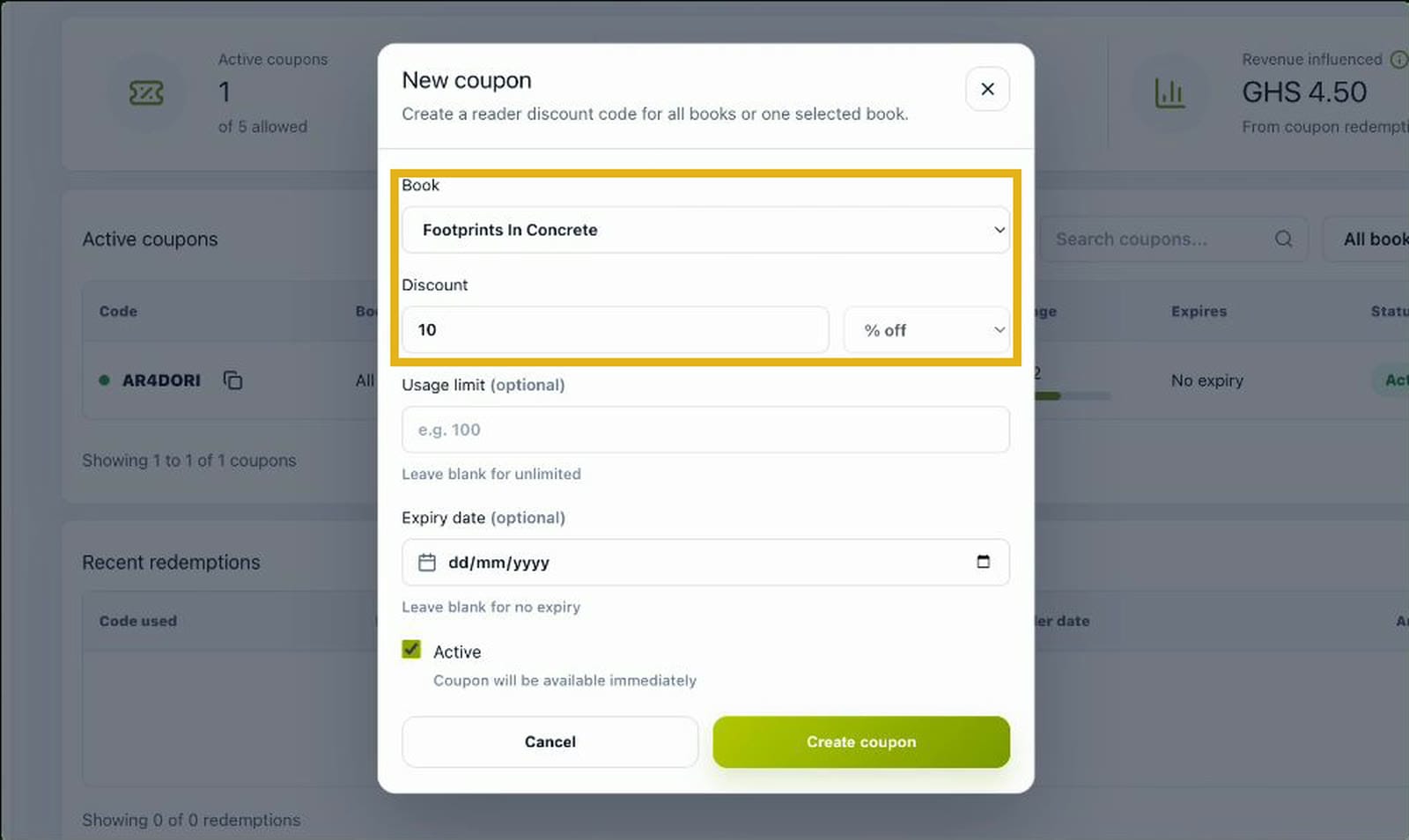
Step 3: Choose a book and set the discount
Choose one of your books, or All books to cover everything you've published. Then enter the discount, from 1% to 99% off.
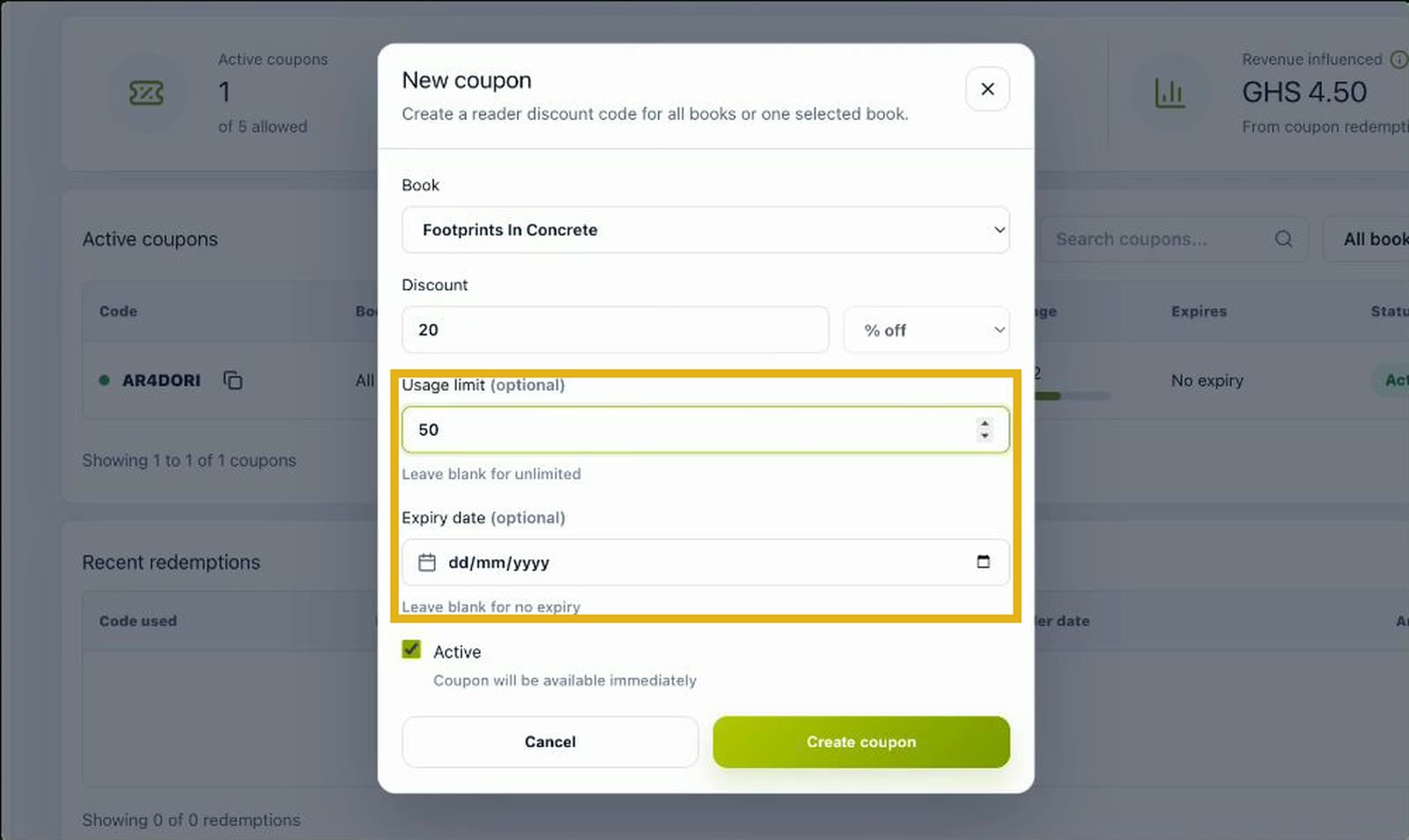
Step 4: Add a usage limit or expiry date (optional)
You can also limit how many times the code can be used, and choose a date when it stops working. Leave either field blank for no limit and no expiry.
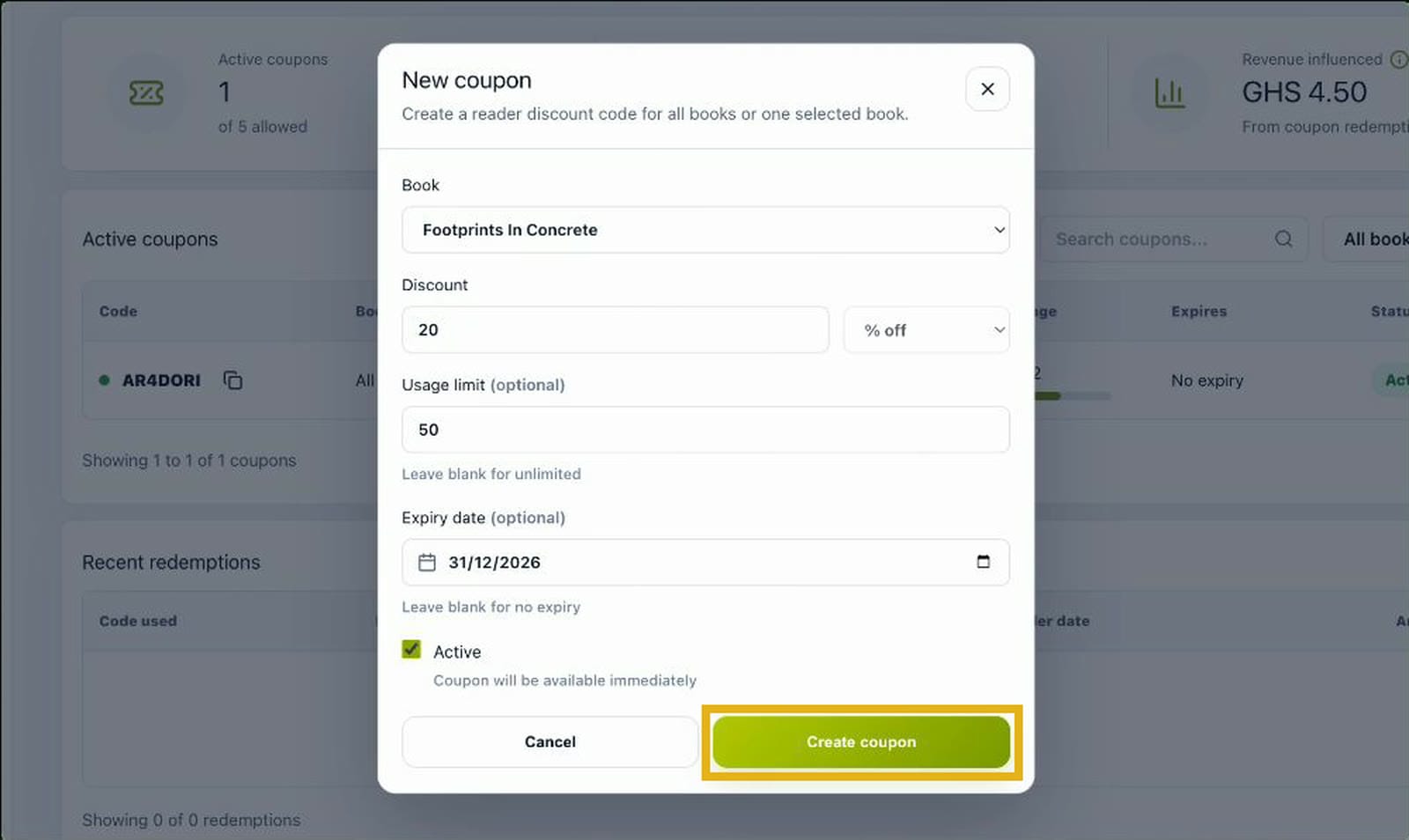
Step 5: Select Create coupon
Select Create coupon.
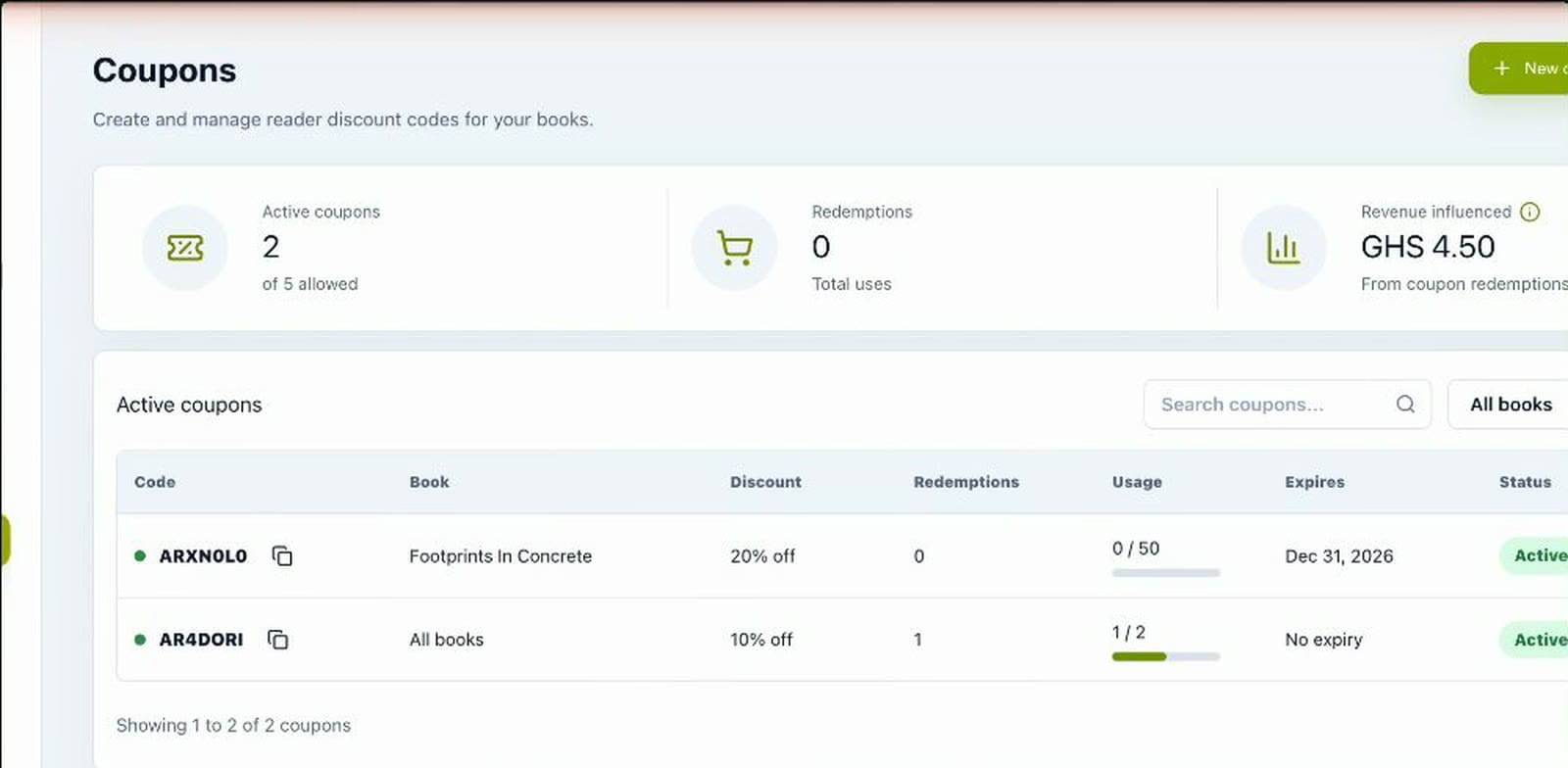
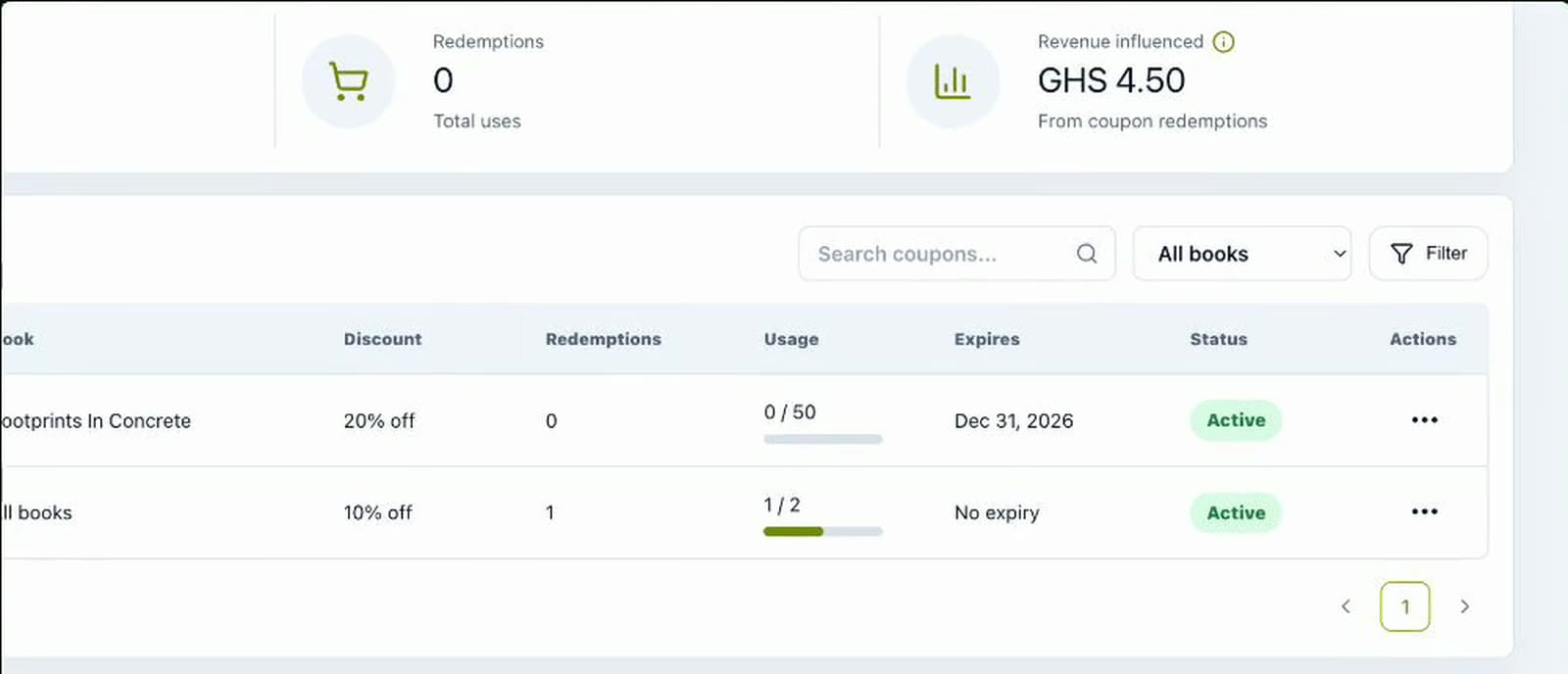
Your code is ready straight away. It appears in your list of active coupons with its discount, usage and expiry date.
Step 6: Share your coupon card
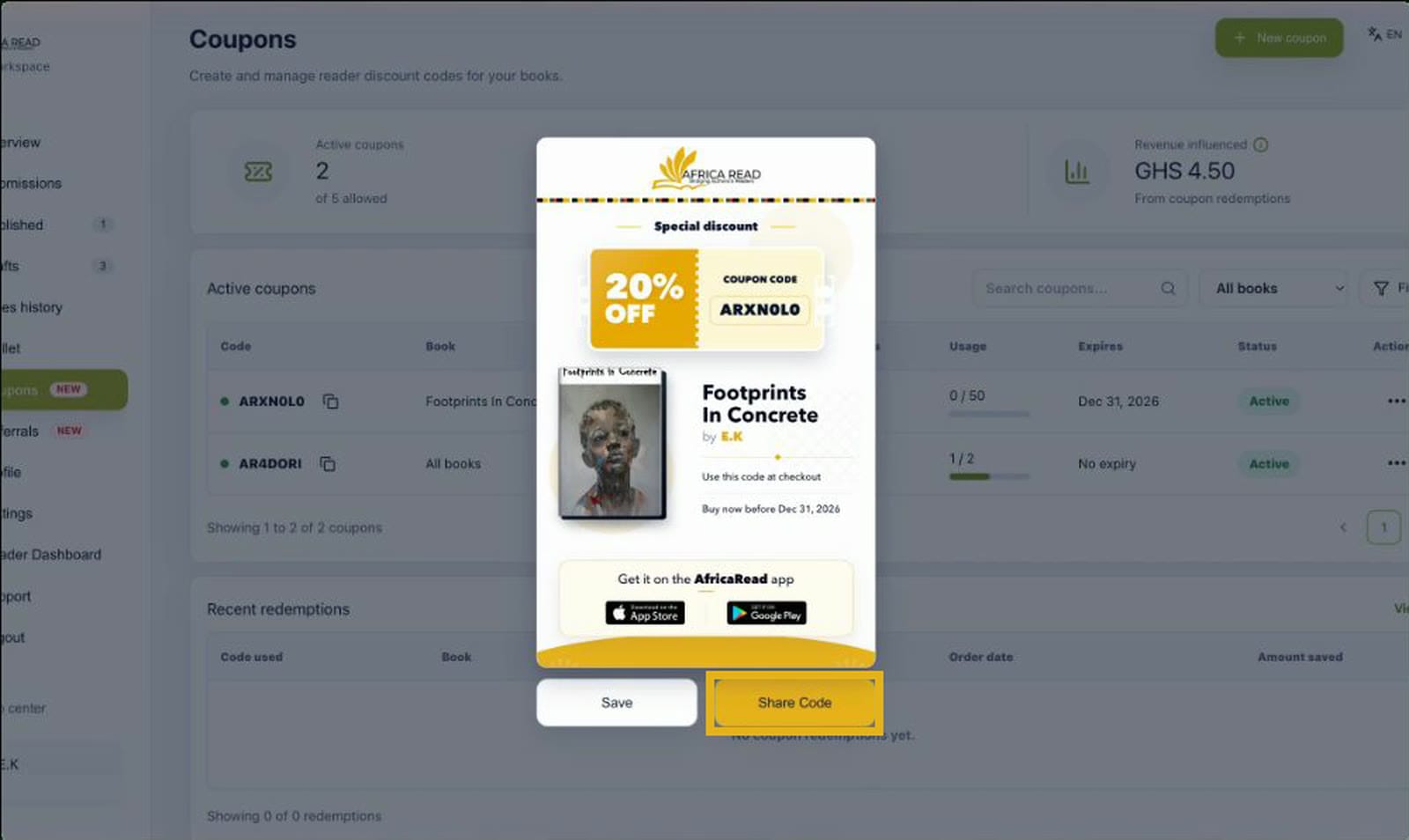
Open the ⋯ menu beside your coupon and select Share to get a ready-made coupon card. Select Save to download it, or Share Code to send it using your device's sharing options.
Step 7: Track every use
Back on the Coupons page, you can see how many times each coupon has been used, how much of its limit is left, and the sales your coupons have brought in.
Where to share your coupon
Your coupon card shows the discount, the code, your book cover and title, the expiry date, and links to the AfricaRead app.
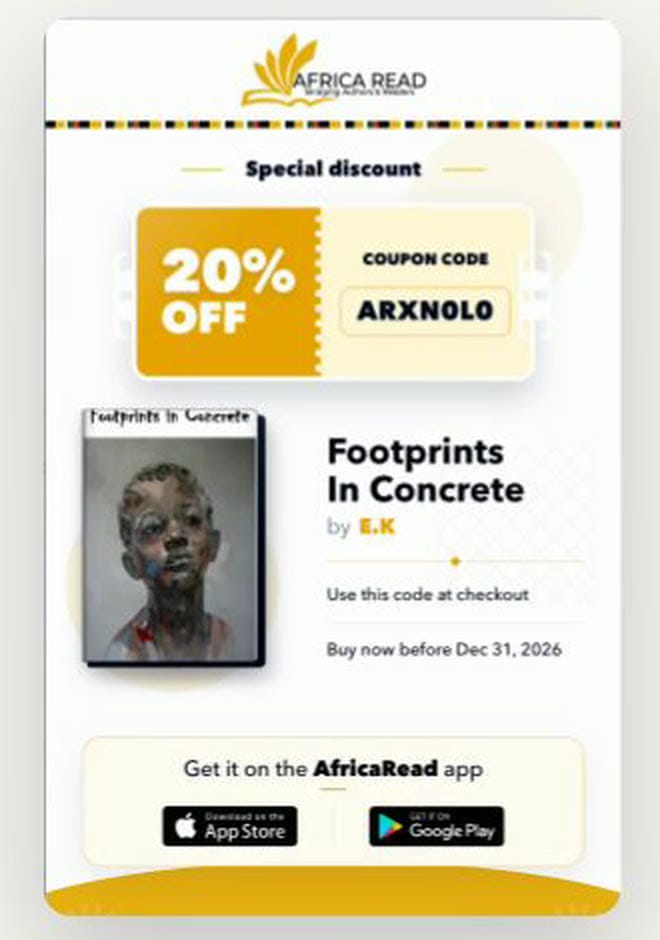
Share it wherever your readers are:
- Status updates and group chats. A discount gives friends, family and community groups a reason to act now.
- Social media. Pair the coupon card with your book's flyer. Here's how to share your book with readers.
- Email. Send the code to your mailing list or newsletter subscribers.
- Book clubs and events. Create a coupon for one group, with a usage limit that matches its size.
Tips for getting more from your coupons
- Set an expiry date. A deadline encourages readers to buy now rather than later.
- Use limits for exclusivity. "The first 50 readers" feels special, and it protects your earnings.
- Make one coupon per audience. Separate codes for a book club, a newsletter and social media show you which one works best.
- Keep an eye on your results. Check the Coupons page to see which codes bring in sales, then do more of what works.
Frequently asked questions
How do I create a coupon for my book on AfricaRead?
Open your author dashboard, select Coupons, then New coupon. Choose a book or all your books, set the discount, add an optional usage limit or expiry date, and select Create coupon. Your code is ready straight away.
How much of a discount can I offer?
You can set a discount from 1% to 99% off.
Can one coupon cover all my books?
Yes. When you create the coupon, choose All books instead of a single title.
How many coupons can I have at once?
You can have up to 5 active coupons at a time.
How do readers use my coupon?
Readers enter your code at checkout and select Apply. The discount is taken off the price straight away.
Haven't published your book yet?
Publishing on AfricaRead is free. Read our guide on how to self-publish your book on AfricaRead, then come back here to create your first coupon.
Create your first coupon today
AfricaRead: Bridging authors and readers.
- Website: africaread.org
- iPhone and iPad: Download AfricaRead on the App Store
- Android: Get AfricaRead on Google Play
Follow us for more author tips and tutorials: